

ContractorOS
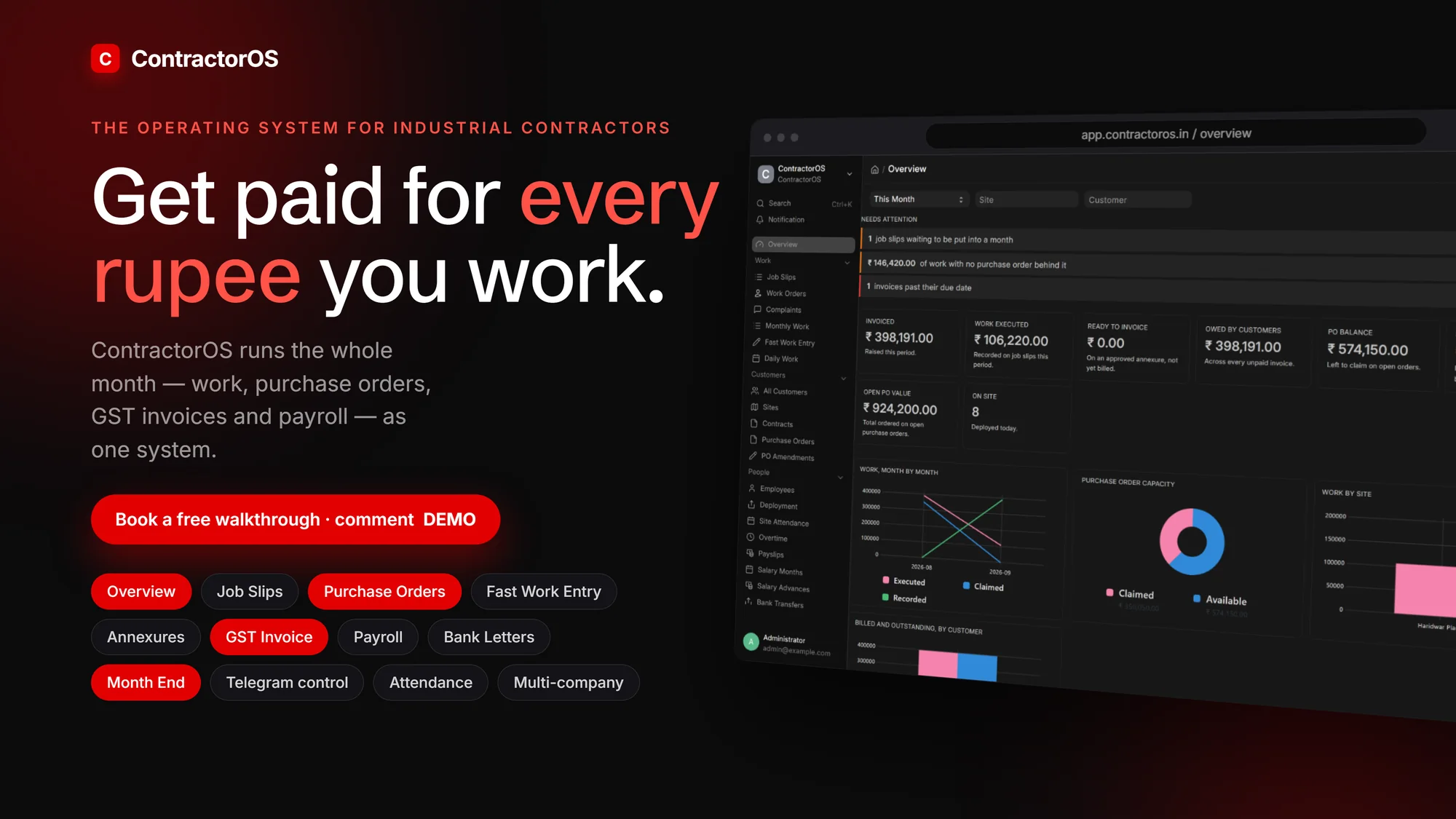
An operating system for industrial contractors, the firms that work inside someone else’s plant. It runs the whole month as one system: work, purchase orders, customer approval, GST invoice, payroll and bank transfers.
Owner
Studio Noir
Type
Windows app or server
Industry
Industrial contracting
Market
India, GST
Names and figures shown in the film and screens are demo data. No client is implied.
The problem
Industrial contractors rarely lose money on the work. They lose it in the fortnight after: a purchase order that quietly ran out, a job slip nobody billed, an invoice retyped by hand the night before it is due, salary rebuilt from memory.
Each of those is a different number on a different spreadsheet, with no single place that says what can safely be billed. ContractorOS is that place. It suits contractors and manpower suppliers who bill a plant against purchase orders, pay a site workforce and produce GST documents in the customer’s own format, from a full office to a single owner-operator.
The commercial spine
Every rupee is traceable end to end: customer, plant, contract, purchase order, job slip, monthly ledger, customer certification, invoice, receivable and payment.
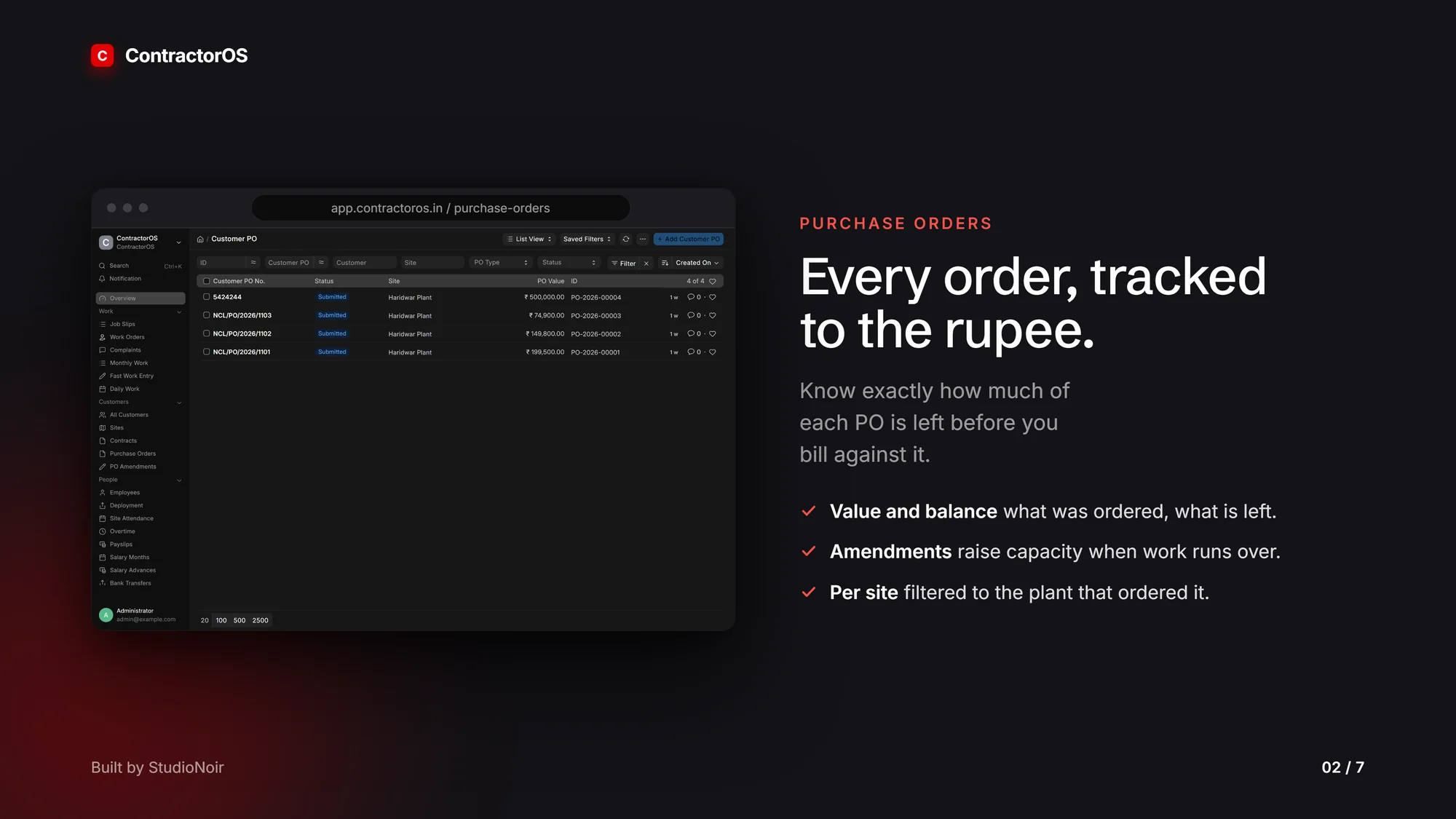
Six money states are kept strictly separate: executed, claimed, unclaimed, certified, billed and paid. Nine numbers, not one, appear for each purchase order on a Commercial Position report: PO value, executed, claimed, unclaimed, certified, billed, paid, available and excess. Work with no PO behind it, work the customer has not accepted and work not yet invoiced each become visible, and each becomes its own conversation.
Overview
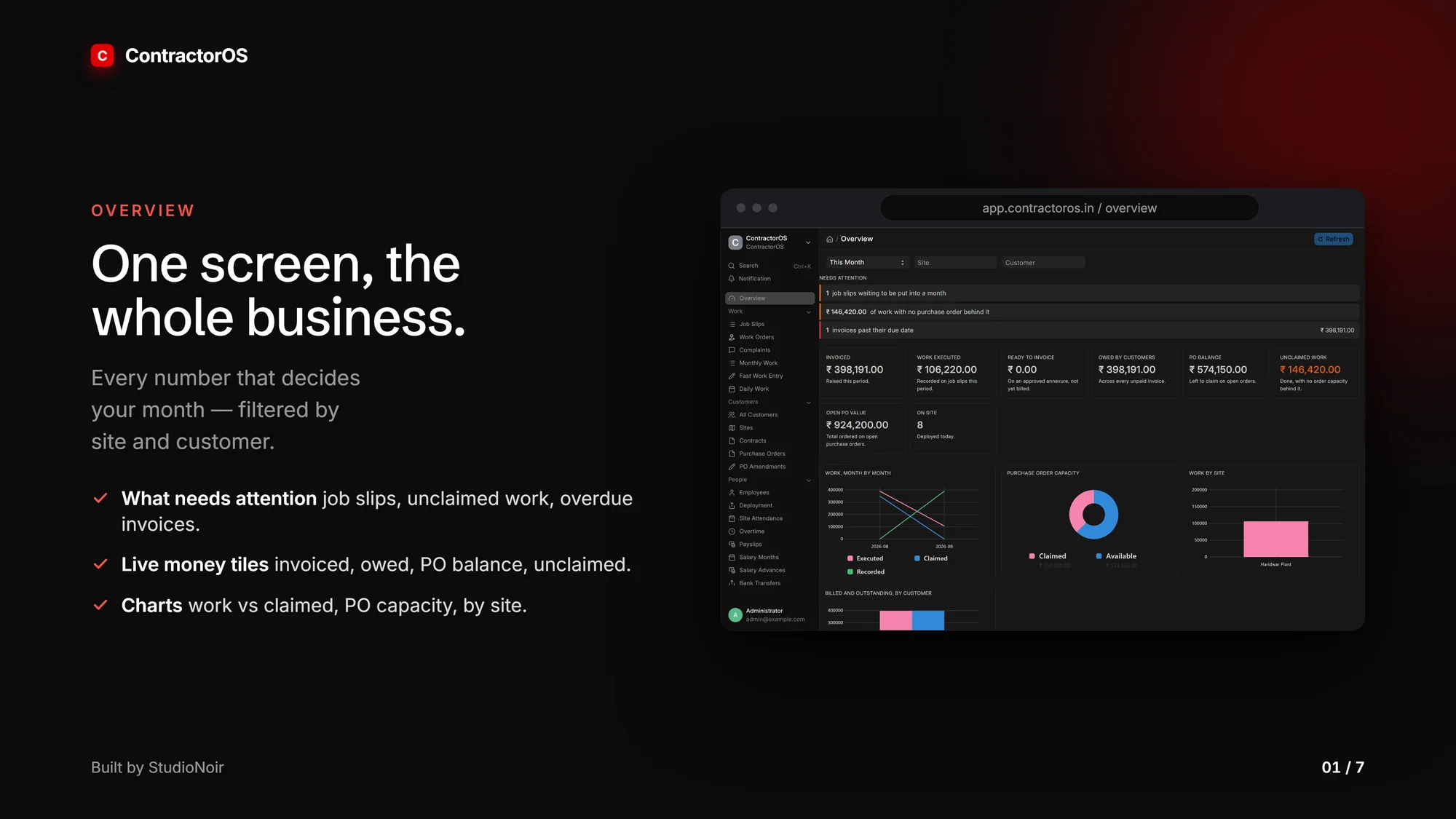
The dashboard opens on a live list of what needs attention: unallocated job slips, work with no PO behind it, overdue invoices. Money tiles show invoiced, executed, ready to invoice, owed by customers, PO balance, unclaimed work, open PO value and people on site, with charts for work by month, PO capacity, work by site, and billed against outstanding by customer. Filter by period, site or customer.
Work, purchase orders and claims
Customer and plant records, rate contracts, customer POs with line items, and PO amendments to raise capacity when work runs over. Work is captured through job slips, work orders, complaints and daily work, plus Fast Work Entry, a keyboard-first grid where a whole month is typed at spreadsheet speed.
The claiming engine turns a month of job slips into claimed work mapped to available PO lines. Anything without PO capacity is flagged as unclaimed rather than silently billed. Certification records what the customer accepted, and only certified work can be invoiced.
Month end
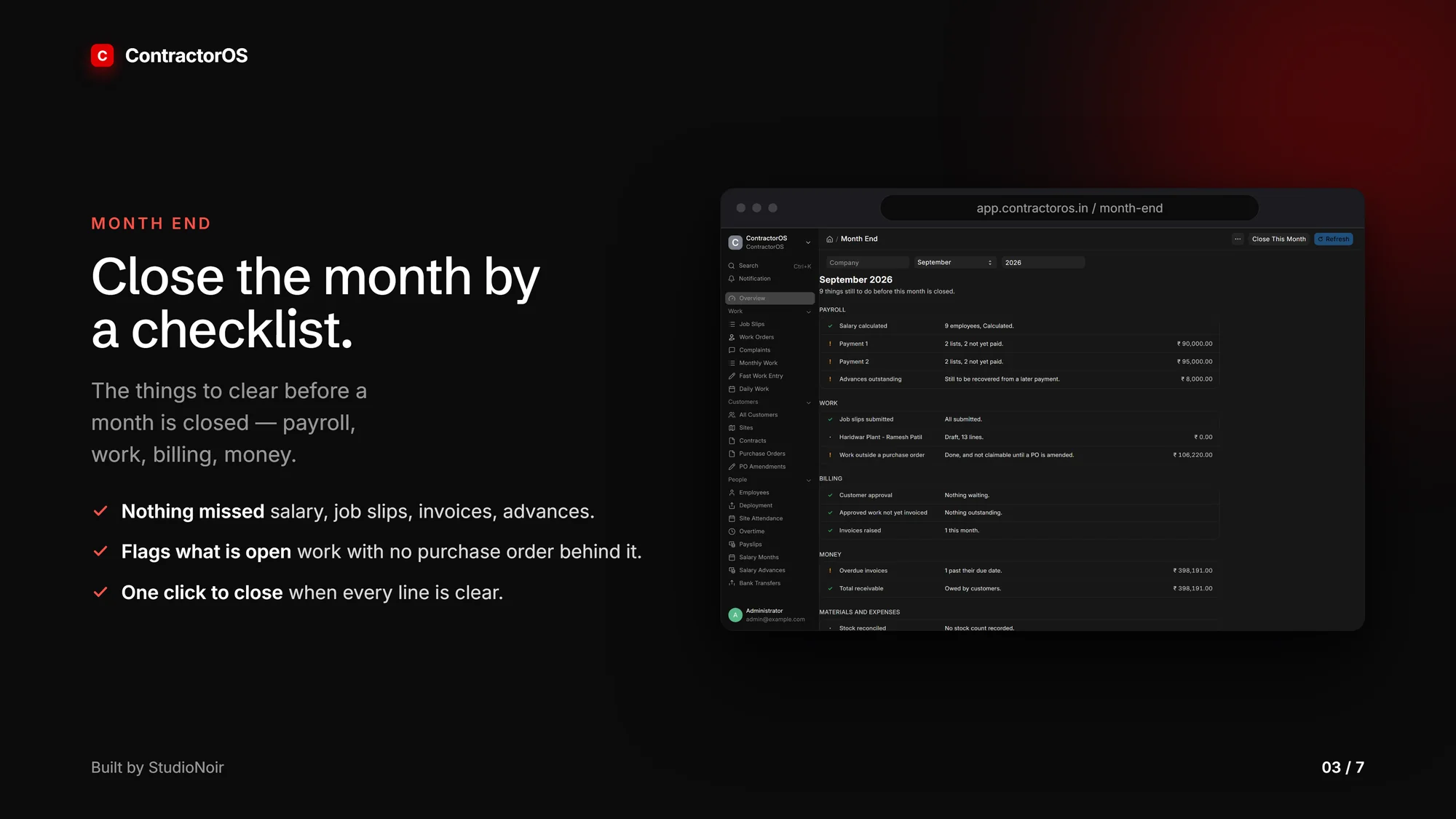
A closing checklist across payroll, work, billing, money, and materials and expenses. It flags what is still open, then one action closes the month.
GST invoicing
The invoice annexure is the line-by-line schedule behind an invoice. Select or unselect entries by PO, date or search, with everything that would block a line shown beside it. A row already on an annexure can never be billed again, so nothing is billed twice.
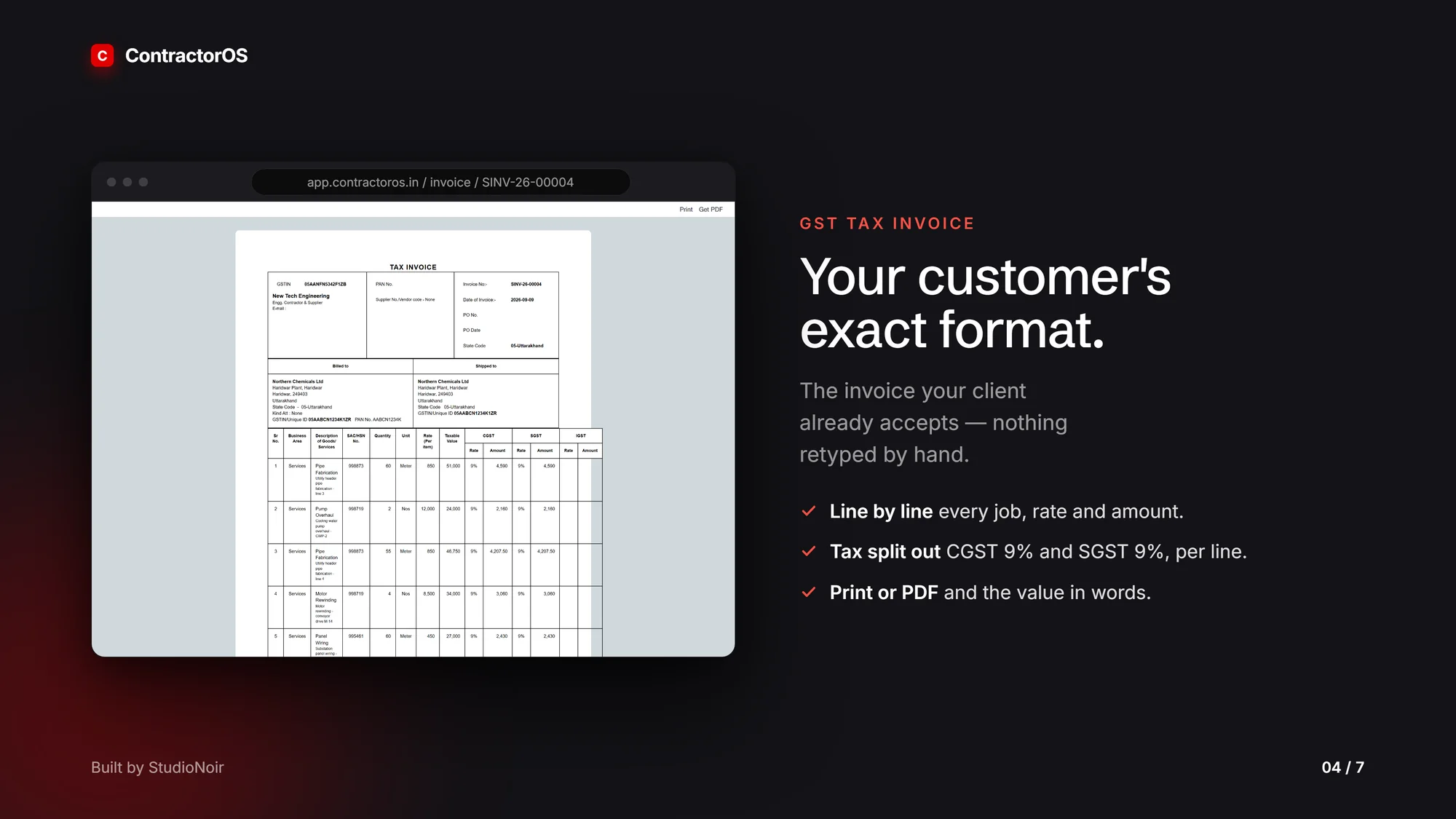
The GST tax invoice prints in the customer’s exact format, with the CGST, SGST and IGST split per line, SAC and HSN codes, value in words, and billed-to and shipped-to details. GST registers carry an exceptions panel that catches incomplete data before it reaches the portal. It is built on the ERPNext ledger with india_compliance, and tax rates are configuration, never hardcoded.
Payroll and bank transfers
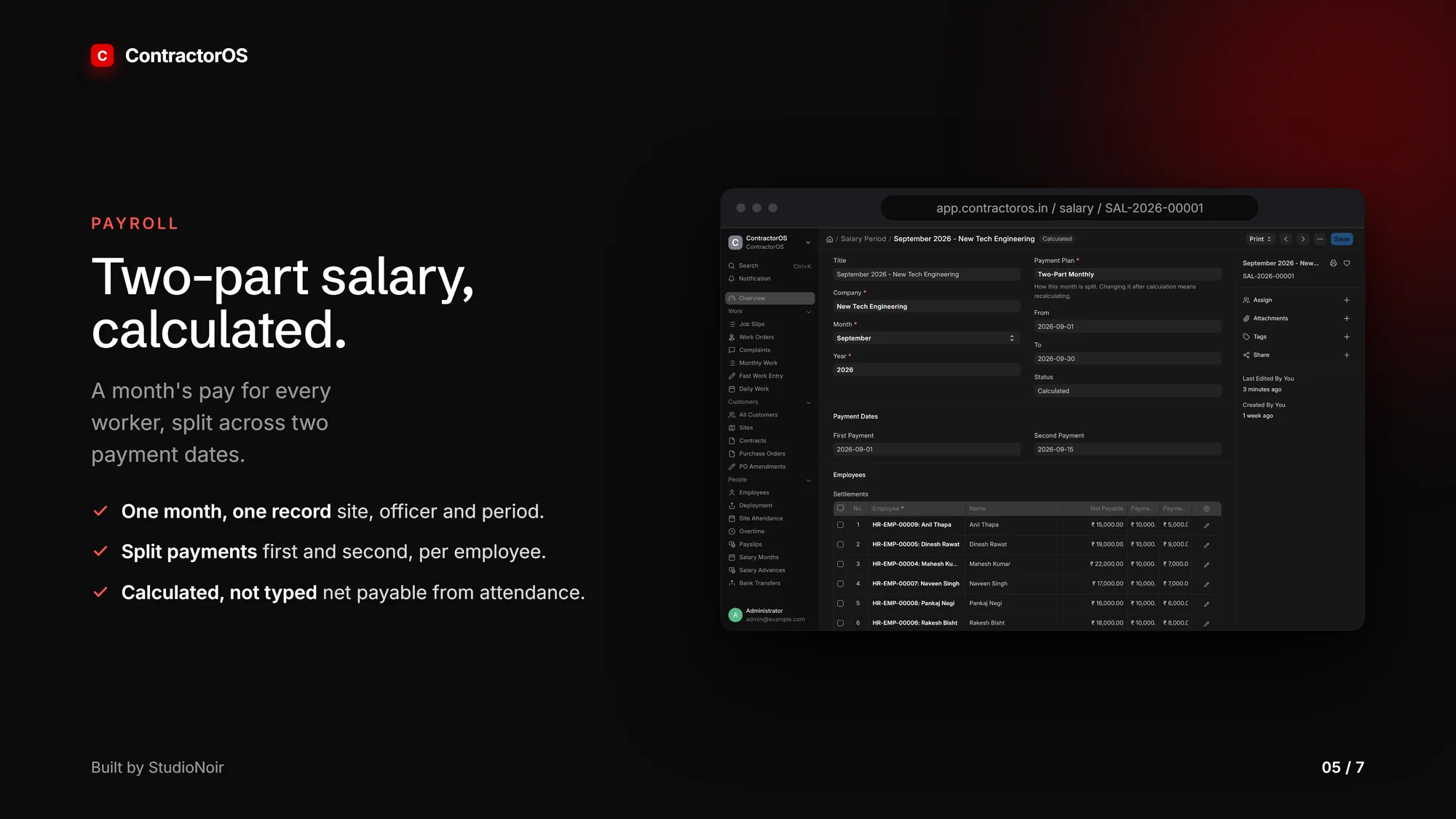
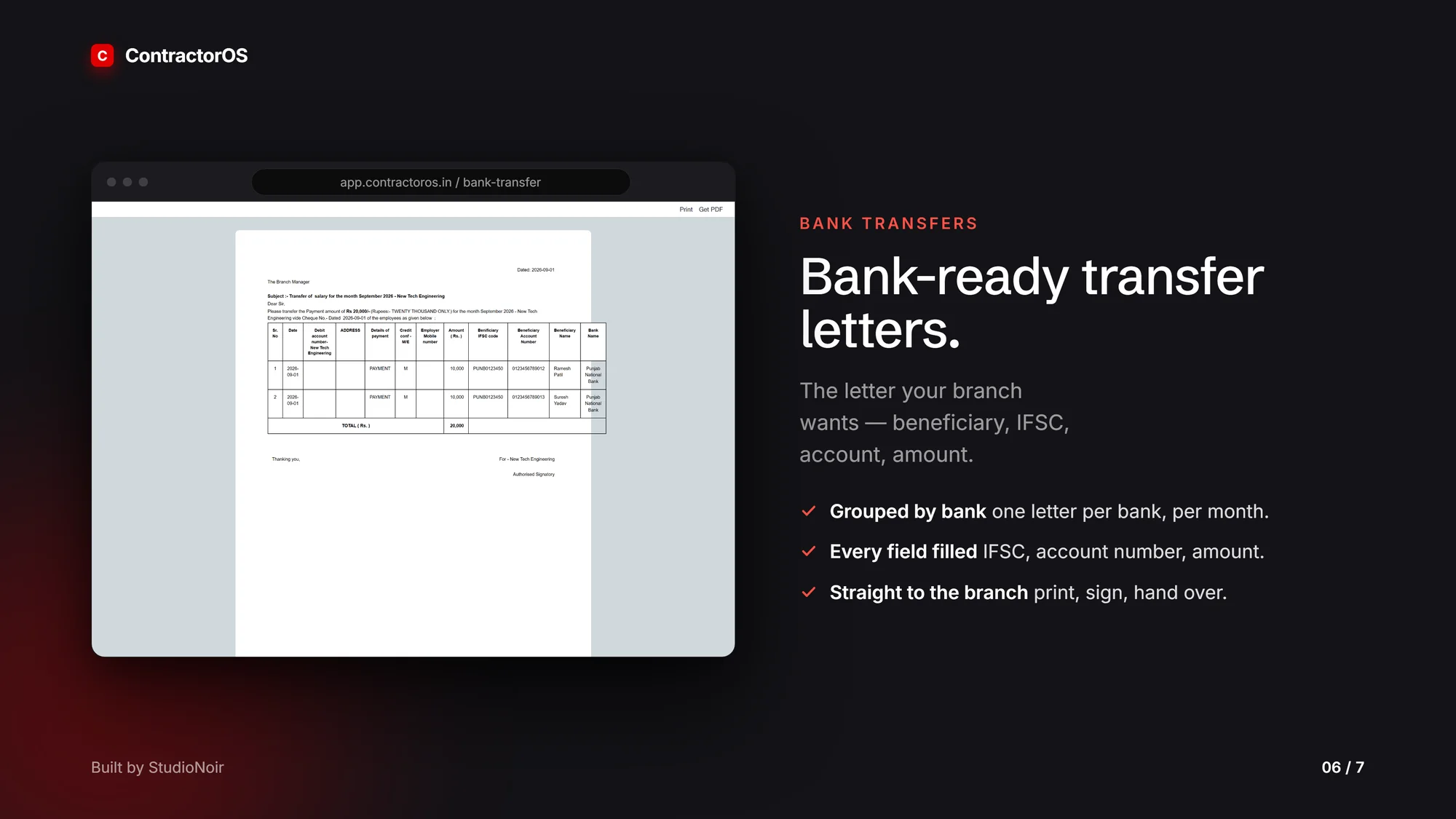
Attendance and overtime feed salary. A salary month is calculated for every worker with a two-part payment plan, salary advances with recovery, PF and ESI, and settlements per employee. Bank-ready letters to the branch manager list beneficiary, IFSC, account and amount, grouped per bank group per payment.
The Muster Roll (Form XVI) and Wages Register (Form XVII) print in the statutory column order.
Telegram control
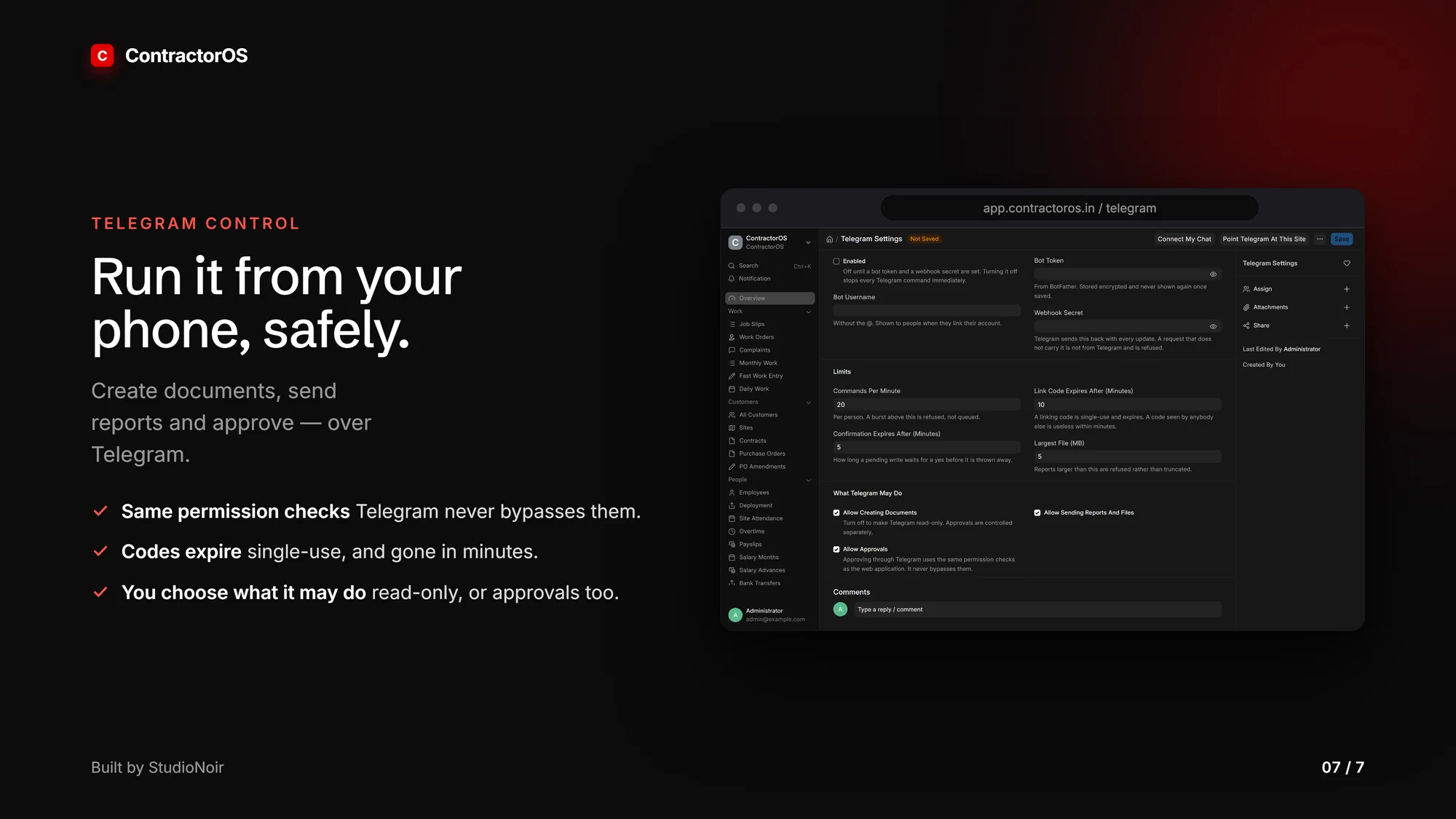
Telegram is a front door, not a second system. Ask questions, approve, or log a complaint from a phone, with the same permissions and validation as the web app. Link codes are single-use, short-lived and stored hashed, bank account numbers are masked, every write is audited, and the owner chooses whether Telegram is read-only or can approve too.
Also included
Materials and procurement with stock, site issue and reconciliation. Projects with BOQ and cumulative RA bills, planned shutdowns, equipment and maintenance plans, HSE with work permits, risk assessments, toolbox talks and incidents, and profitability as revenue less labour, material and expenses.
Fourteen documents print in one house style, six one-button print packs bundle a whole envelope into a single PDF, and Excel export works everywhere, including per-customer templates for customers who insist on their own columns. An audit log, feature flags, a health and backup toolkit, and an in-product manual with more than 40 topics and 22 SOPs come with it, along with a switch for owner-operators that removes role walls without bypassing any permission check.
How it is delivered
It installs on the customer’s own Windows PC from a one-click setup file, with a desktop launcher, backup and restore, and offline use after install. Data stays on the customer’s machine. A container image and compose stack cover server deployment.
Built with
Frappe Framework, ERPNext, Frappe HR and india_compliance, all v16, on MariaDB 11.8 and Redis, with Python 3.14, Node 24 and Docker. Upstream apps are never modified: all proprietary logic lives in one custom app of about 62 custom DocTypes across more than 16 modules. ERPNext owns the general ledger, every commercial rule is enforced server-side, and every schema change ships as a patch or fixture.
 Let us map your operation.